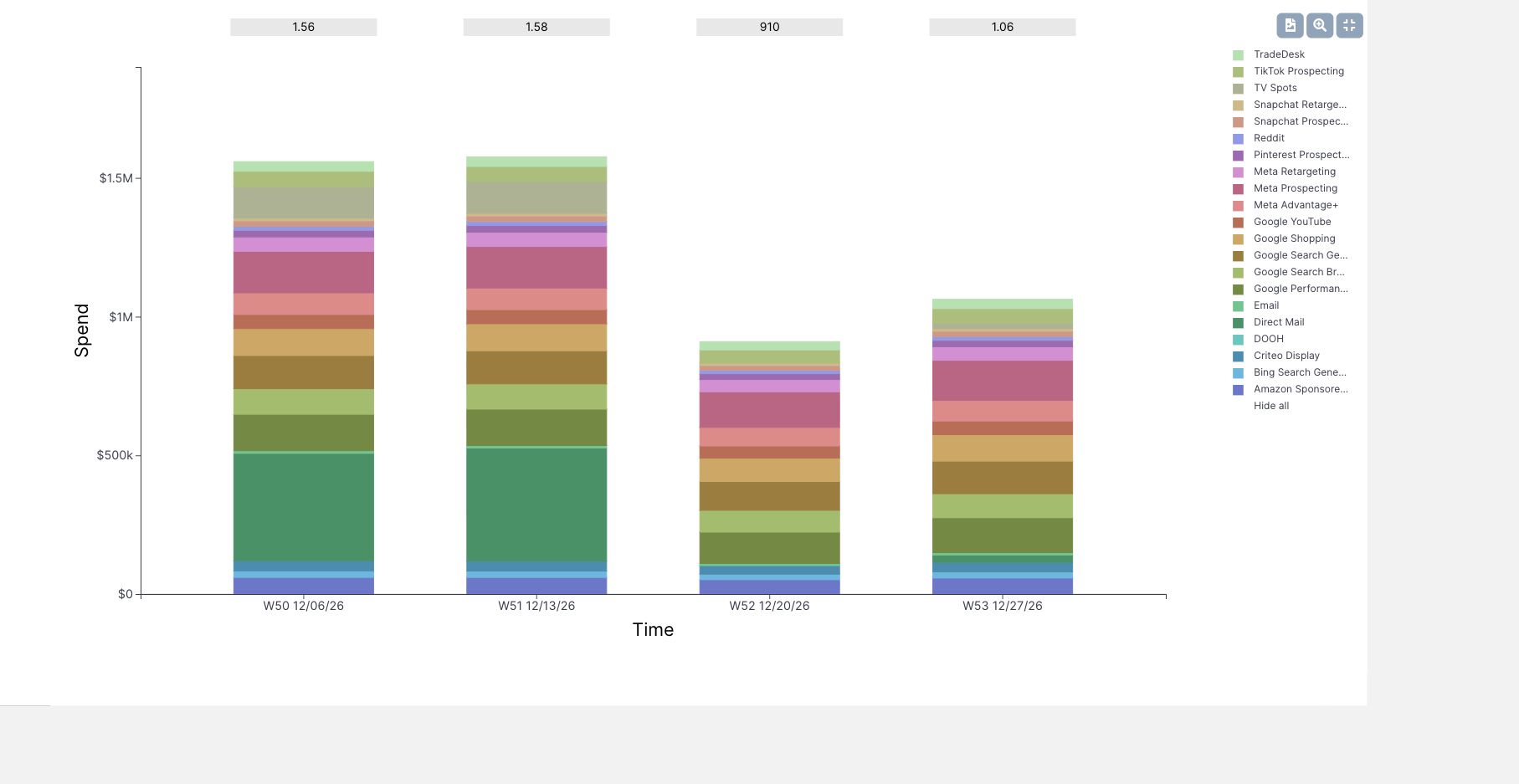
MMM Use Case

When the business sets a return requirement and leaves the budget open, use Target ROI in Sellforte’s Media Optimizer. Set the planning period, return target and practical channel limits, then read the budget and allocation the optimizer produces.
This walkthrough builds a US plan in the public Sellforte demo with a target of 3.5 and Sales (MMM) as the optimization KPI. The result is approximately $5.38 million in media investment and $18.84 million in modeled incremental sales. All figures are simulated demo data.
Before you start: An agreed return requirement, planning dates, and realistic spending limits for each channel.
What you will produce: A proposed media budget and channel allocation, with the forecast return and constraints visible beside it.
1. Create a scenario around the return requirement
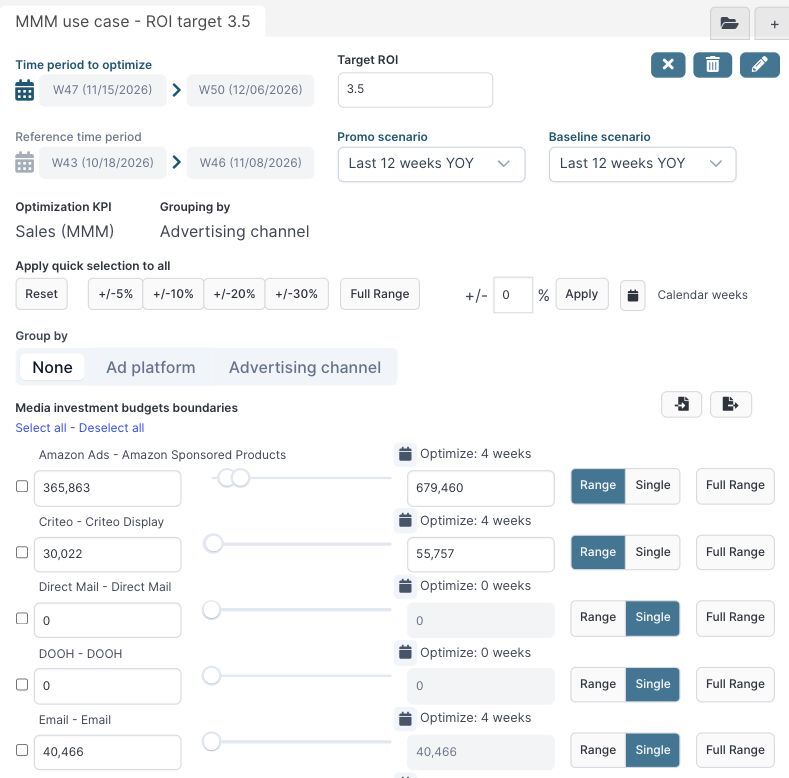
Open Planning → Media optimizer, select the + icon and create a new scenario. Choose Target ROI as the optimization mode. In this example, the planning period is the four weeks labeled W47–W50, starting November 15 through December 6, 2026 in the demo.
Use the most recent weeks as the reference period: W43–W46, starting October 18 through November 8. Select Use Sellforte performance forecast, keep Number of weeks as the week-selection method, and group by Advertising channel. The example includes the full US scope.
After creating the scenario, click the Target ROI field, enter 3.5 and save it. Confirm that the optimization KPI is Sales (MMM). With this KPI, the results table reports incremental sales per dollar of media investment. If the business requirement concerns profit or margin, agree on the appropriate KPI before entering a target.
2. Put realistic limits around the plan
The reference period supplies a starting point for channel budgets. In this example, use Reset to restore reference amounts, then apply +/−30% to create spending ranges. Set Email to Single and fix its spending at $40,466, because its capacity is treated as fixed for this exercise.
Direct Mail, DOOH and TV have no active weeks in this reference period and remain at zero. A plan that needs those channels would require explicit changes to the active weeks and spending boundaries.
| Example constraint | Minimum | Maximum |
|---|---|---|
| Amazon Sponsored Products | $365,863 | $679,460 |
| Google Search Brand | $525,048 | $975,089 |
| Google Shopping | $239,579 | $444,934 |
| $40,466 | $40,466 |
The combined lower and upper boundaries are $3,000,236 and $5,537,195. They define the spending range allowed in this exercise. Keep the default Last 12 weeks YOY assumptions for both the promotion and baseline scenarios so that the plan has a stated demand context.
3. Optimize and read the budget returned
Select Optimize, then open Result Table. Keep all channels and customer segments included when reading the total.
| Result | Demo plan |
|---|---|
| Media investment | $5.38M |
| Sales (MMM) | $18.84M |
| iROAS (MMM) | 3.50 |
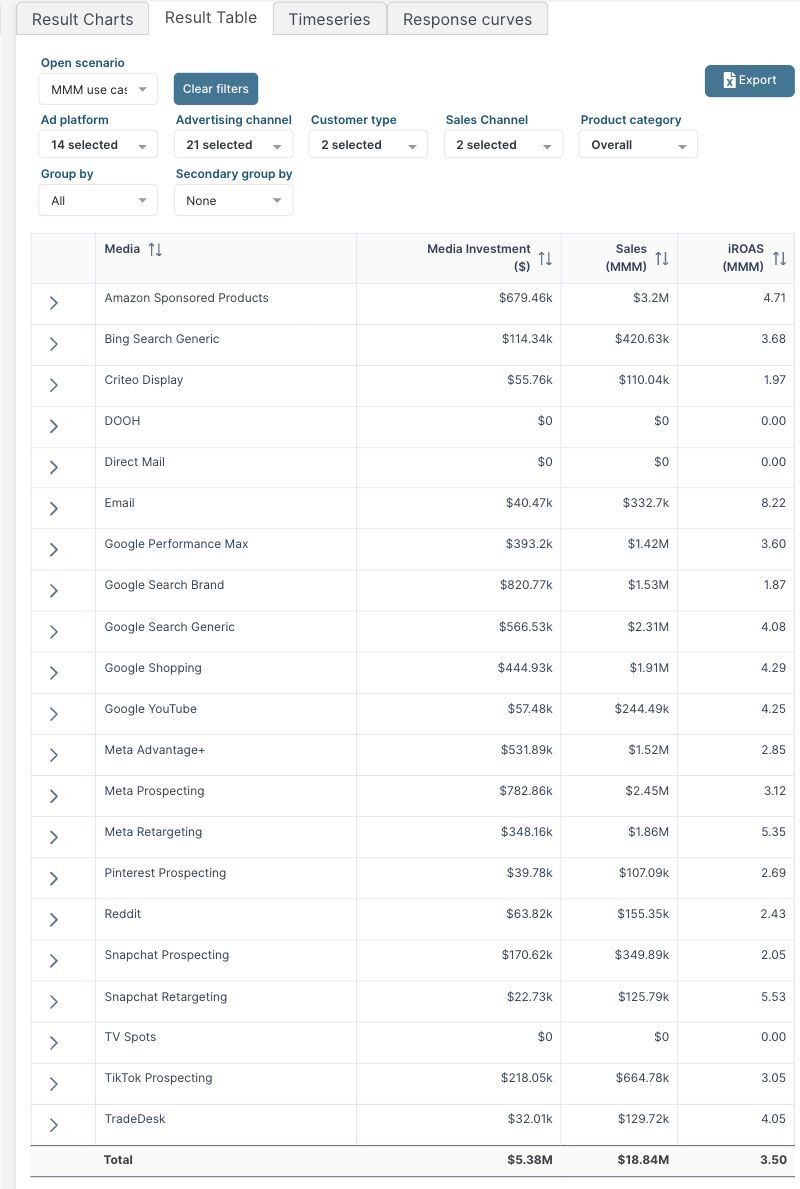
The displayed totals reconcile approximately: $18.84M divided by $5.38M is 3.50, allowing for rounding. Sales (MMM) here is the modeled media contribution. It does not include all baseline and promotion-driven business sales.
Read the channel rows before taking the budget into a planning meeting. The plan allocates $679.46k to Amazon Sponsored Products, $444.93k to Google Shopping and $820.77k to Google Search Brand. Email remains at $40.47k after rounding, consistent with its fixed amount.
4. Check which constraints shape the answer
Amazon and Shopping sit at their upper spending limits. Their allocations may therefore be limited by the allowed range. Branded search sits inside its range. This helps identify where a different operational constraint could change the plan.
Only relax a channel’s upper limit when the team can support the additional activity. If the target cannot be reached within feasible limits, revisit the budget boundaries, channel commitments or return requirement with the business. A numerical target alone cannot create profitable capacity.
5. Use the plan to set a budget and review the next increment
The worked example gives the budget discussion a concrete starting point: about $5.38M over the selected four weeks, with a specified channel mix and a displayed total iROAS of 3.50. Check inventory, cash availability and channel delivery capacity before adopting it.
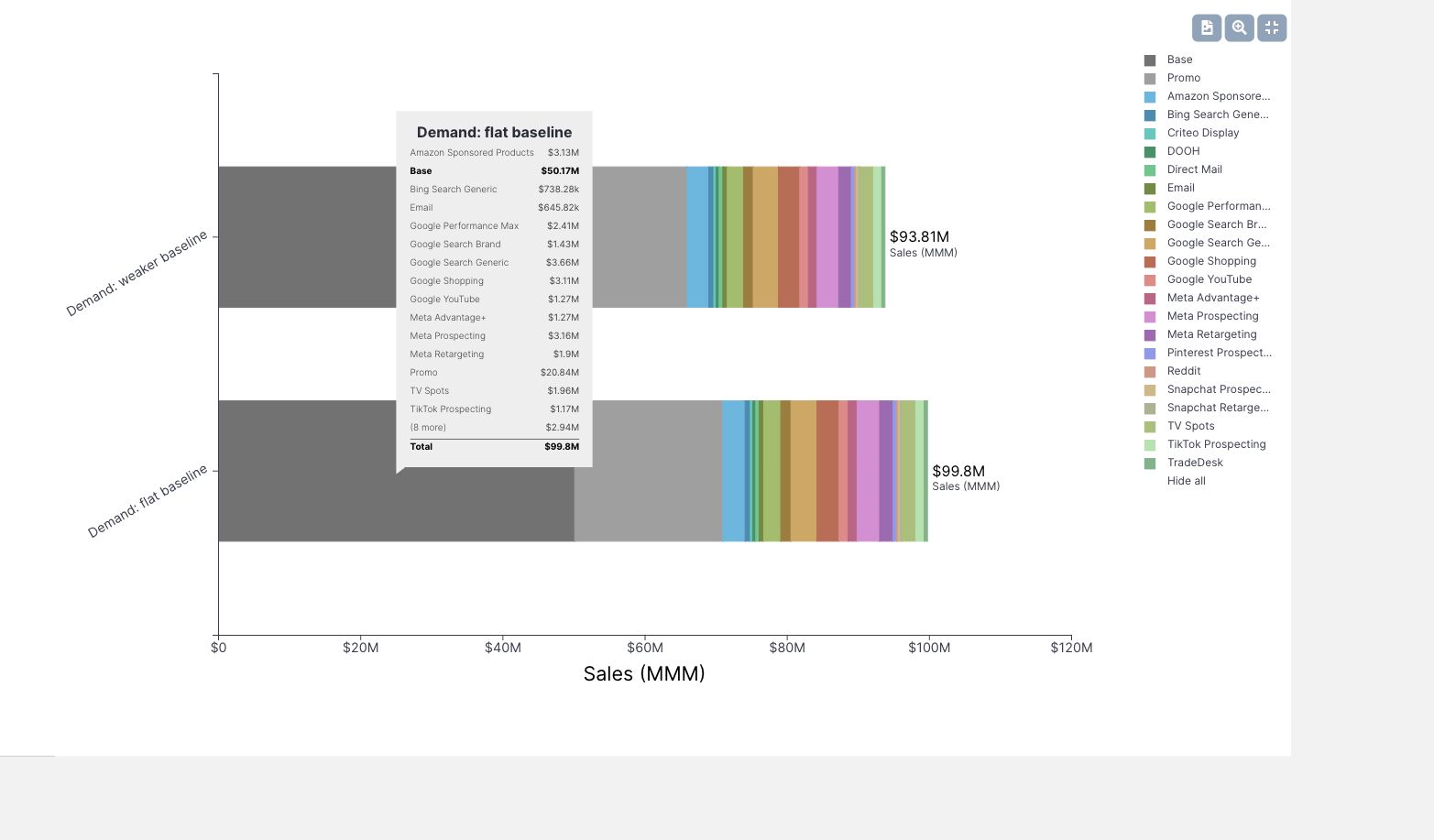
For a proposed expansion beyond this plan, compare the additional incremental sales with the additional spend. The total iROAS in the table is an average across the plan; it does not by itself show the return on the next dollar. Use miROAS and response curves to assess that next increment. You can also stress-test the plan against weaker demand before committing the budget.
Further Reading and Resources
Build a feasible plan
Review the proposed budget
About the author

Lauri Potka is the Chief Operating Officer at Sellforte, with over 15 years of experience in Marketing Mix Modeling, marketing measurement and media spend optimization. Before joining Sellforte, he worked as a management consultant at the Boston Consulting Group, advising some of the world’s largest advertisers on marketing optimization. Follow Lauri on LinkedIn.
How Do You Tell Whether a Target ROAS Change Paid Off?
How to Stress-Test a Media Plan Against Weaker Demand