MMM Use Case

To find a media budget that supports a sales target, start with the target for a defined period and compare it with the total sales forecast in Sellforte’s Media optimizer. Adjust the budget, optimize the allocation and check whether the forecast reaches the goal under the same business assumptions.
This walkthrough uses simulated data from the public Sellforte demo, captured on November 15, 2026. All plans cover four weeks starting December 6, 13, 20 and 27, 2026 (shown as W50–W53).
Before you start: A sales goal, its revenue definition and planning period, plus realistic media constraints.
What you will produce: A budget and channel plan whose modeled total sales meet the chosen goal, with the extra spend needed compared with the current-budget plan.
1. Define the sales target
This example aims for $70M in total sales during the four-week planning period. Total sales include the model’s base and promotion contributions as well as media-driven sales. A $70M total-sales target is therefore different from asking advertising alone to generate $70M in incremental sales.
Use the same sales definition, market and sales-channel coverage in the target and the forecast. Here, the plan includes the US market, all 12 DMAs, both customer types and both sales channels, with Product category set to Overall.
2. Establish what the current budget can deliver
Open Planning → Media optimizer and create a Budget optimization scenario with Sales (MMM) as the Optimization KPI. Choose the four weeks starting December 6, 2026, use the same weeks from last year as the reference, and select Use Sellforte performance forecast.
Group by Advertising channel and leave DMA grouping unchecked. Keep Promo scenario and Baseline scenario at Last 12 weeks YOY. In this demo exercise, channel budgets can vary by ±50% of reference spend, Email stays fixed at $35,029, and DOOH remains at zero because it has no reference spend or active weeks.
Optimize the $5,107,912 current-budget plan. In Result Charts, turn Show base and Show promo on. Its total sales forecast is $69.40M, leaving a modeled gap of about $600,000 to the $70M goal.
3. Test a budget that closes the gap
Use + and Copy own scenario to copy the current-budget plan. Click the budget amount, enter a new value and clear Update budget boundaries before saving. This preserves the channel limits while you test the total budget.
The budget-change example shows that a $6.13M plan forecasts $70.85M in total sales under the same assumptions. That gives us a lower budget below the target and a higher budget above it. For this walkthrough, test a $5.6M budget between those two cases and select Optimize.
| Measure | Current-budget plan | Sales-goal plan |
|---|---|---|
| Media budget | $5,107,912 | $5,600,000 |
| Media-driven Sales (MMM) | $16.27M | $17.04M |
| Total forecast sales | $69.40M | $70.17M |
| Media iROAS | 3.19 | 3.04 |
| Position against $70M goal | About $600k below | About $170k above |
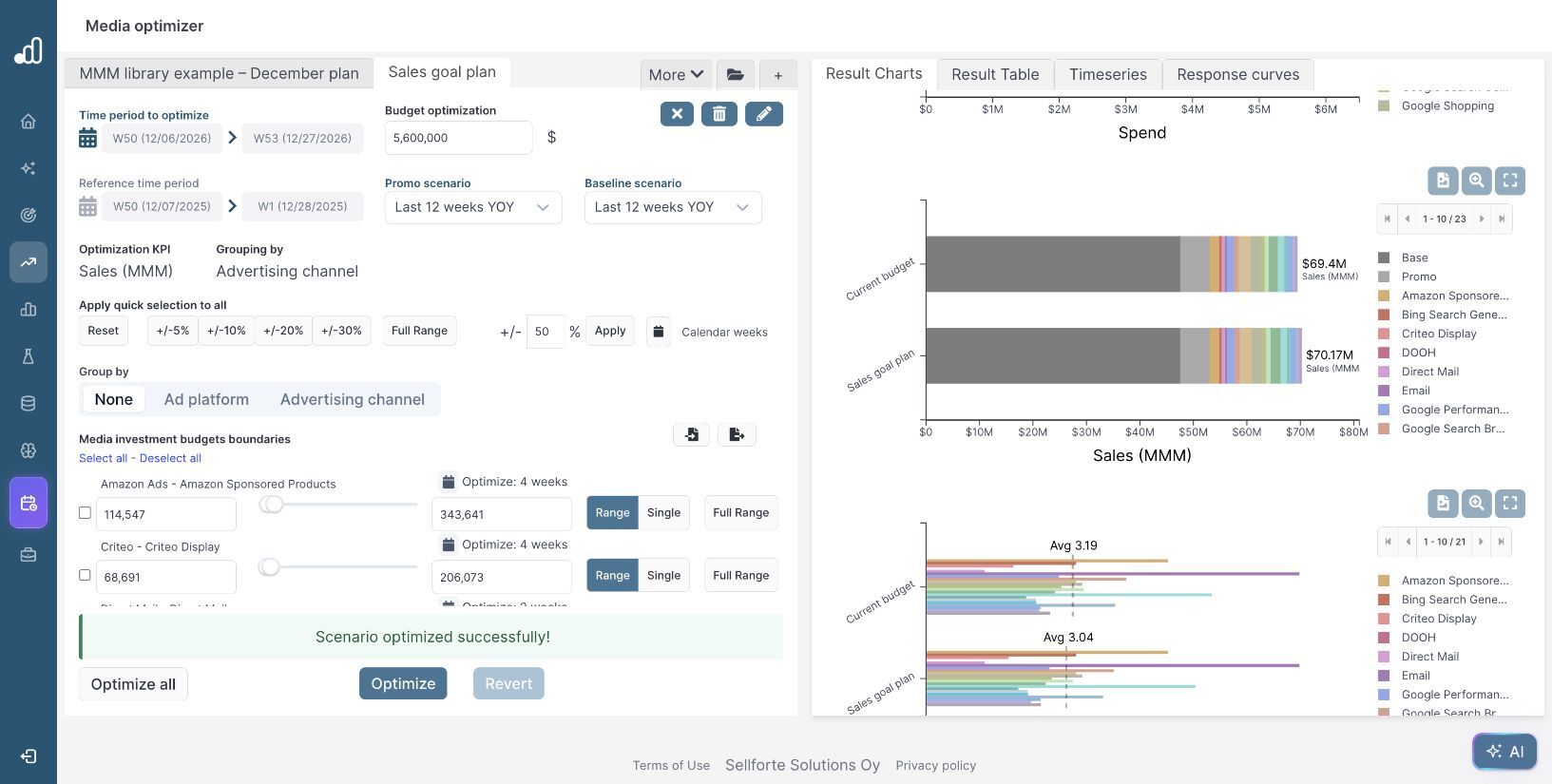
The candidate uses $492,088 more media budget than the current-budget plan and produces about $770,000 more modeled sales. It supports the target in this forecast. It is one feasible budget candidate; finding the lowest budget requires testing smaller steps between the below-target and above-target plans.
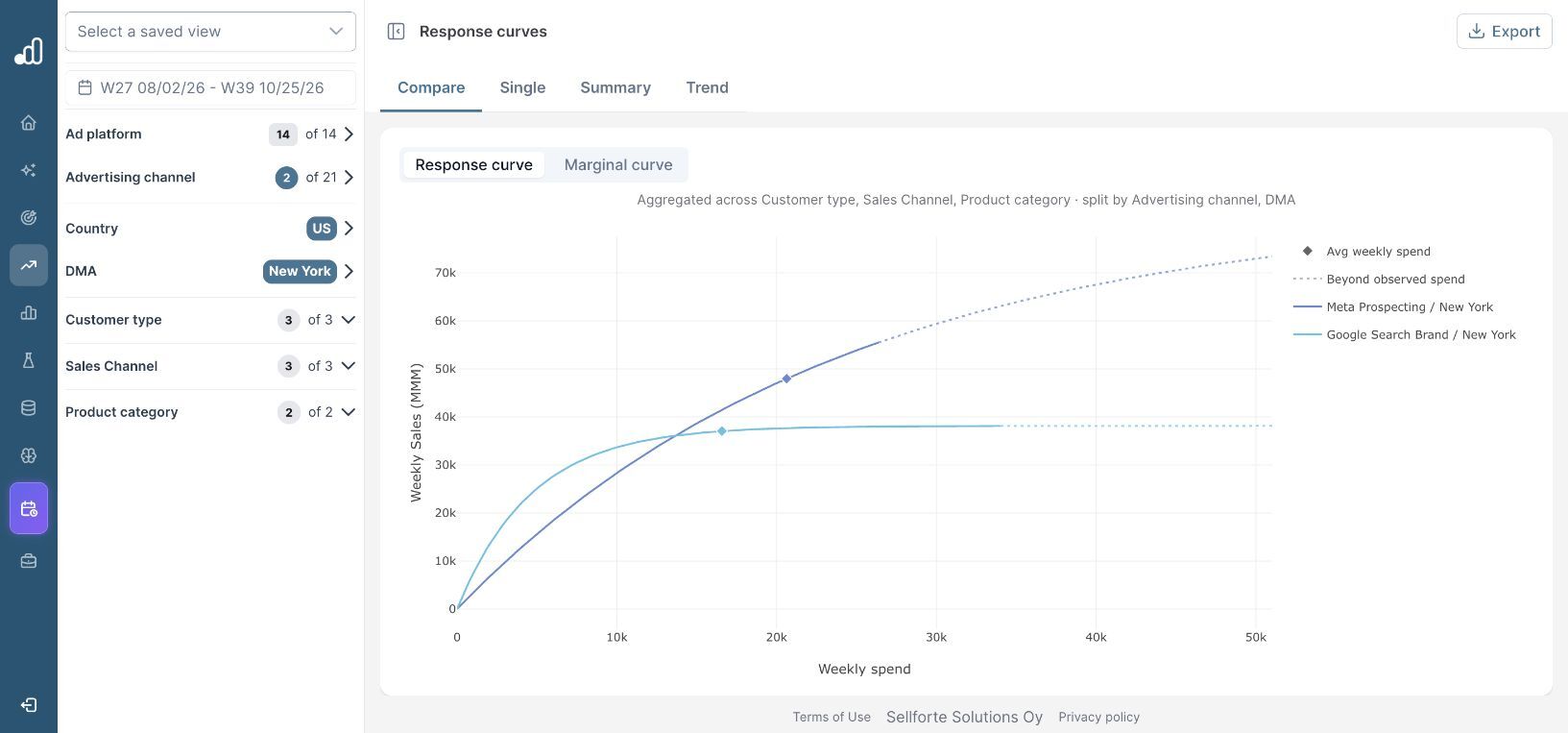
Do not estimate the required budget simply by dividing the sales gap by historical iROAS. The return on additional spend changes with saturation and allocation. Recalculating the plan accounts for those changes.
4. Check what the required budget buys
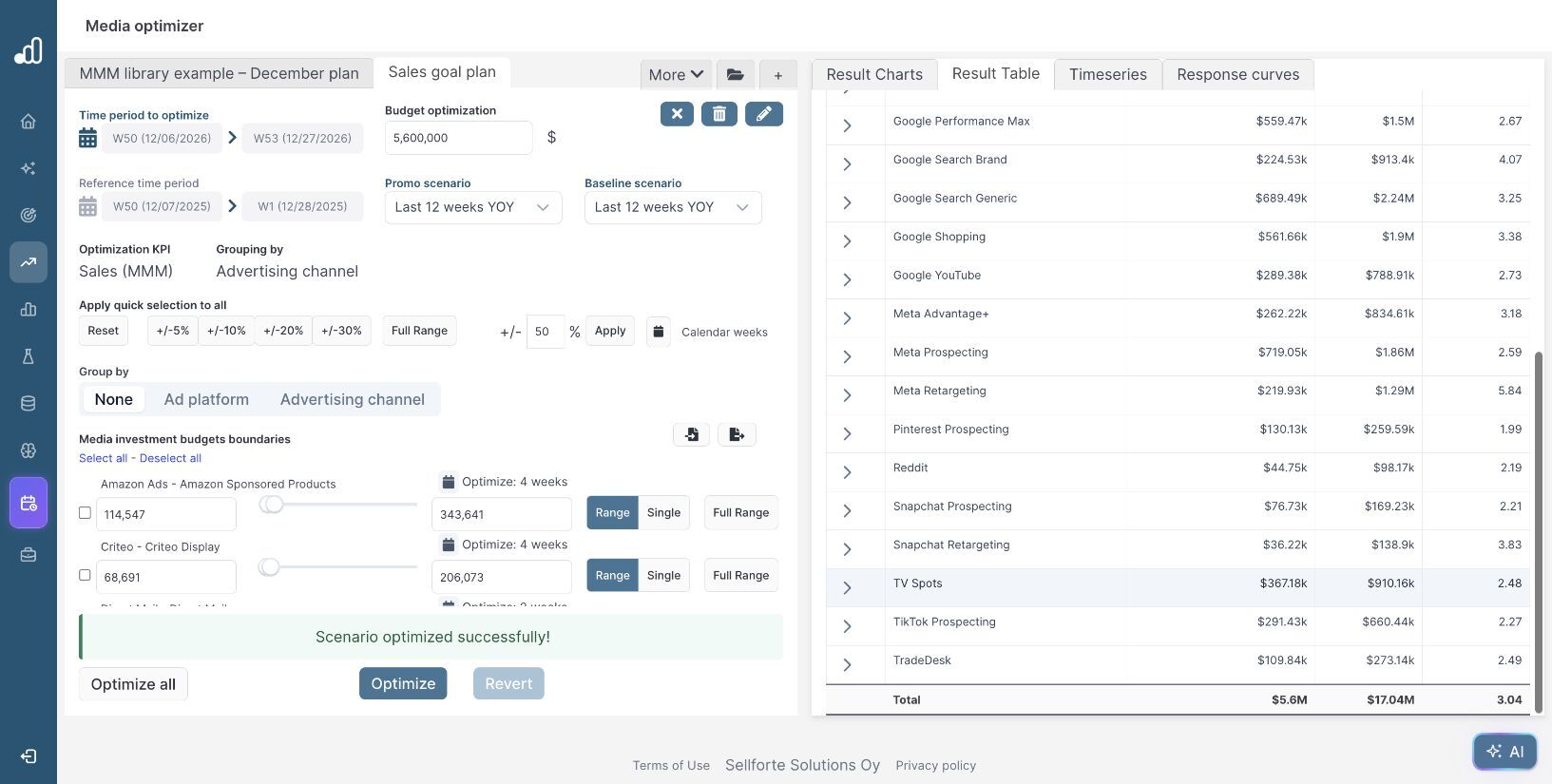
Open Result Table for the Sales goal plan. The total row shows $5.6M media investment, $17.04M Sales (MMM) and 3.04 iROAS. This table reports the media contribution; the $70.17M total is visible in Result Charts with base and promotion included.
Review channels at their upper or lower limits and open Timeseries to check weekly pacing. A budget that supports the goal must also be executable: campaign capacity, buying commitments, stock and cash requirements can change the feasible plan. Recalculate after changing those constraints.
5. Use the result in target and budget discussions
The worked example gives the planning team a concrete choice: keep the current budget and work with a $69.40M sales forecast, or assess a $492,088 increase that brings the forecast to $70.17M. Compare the contribution margin on the additional sales with the added spend before approving the increase. The amount above the target is forecast headroom, not a measure of forecast uncertainty.
Sellforte also offers Total sales target and Incremental sales target modes when creating a scenario. Those modes let you enter the sales goal directly and ask the optimizer to solve for budget. Check the returned status and spending limits before treating that output as an achievable plan. The figures in this walkthrough come from the successfully optimized budget scenarios shown above.
Further Reading and Resources
Build and compare the plan
Explore planning options
About the author

Lauri Potka is the Chief Operating Officer at Sellforte, with over 15 years of experience in Marketing Mix Modeling, marketing measurement and media spend optimization. Before joining Sellforte, he worked as a management consultant at the Boston Consulting Group, advising some of the world’s largest advertisers on marketing optimization. Follow Lauri on LinkedIn.
How to Allocate Next Month’s Media Budget
How to Spot Saturation and Find Room to Scale