
1. Log in to Sellforte and navigate to Connectors
- In the left-side navigation pane, select Connectors under Data.
- From the Available connectors list, click the card for the relevant connector to start the connection.
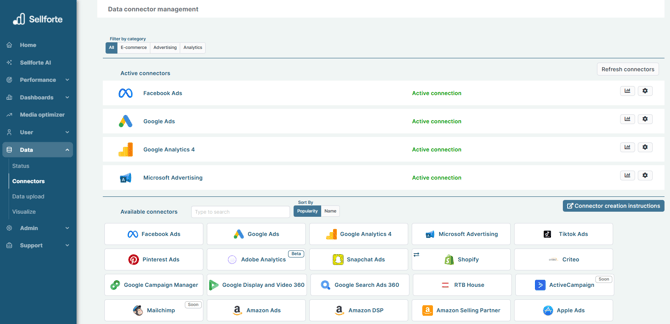
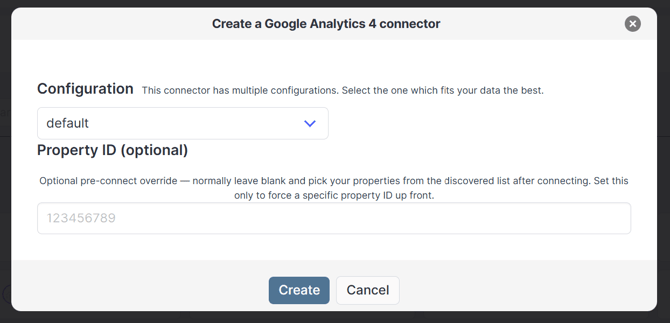
2. Choose configuration
Keep the configuration as default. Click Create
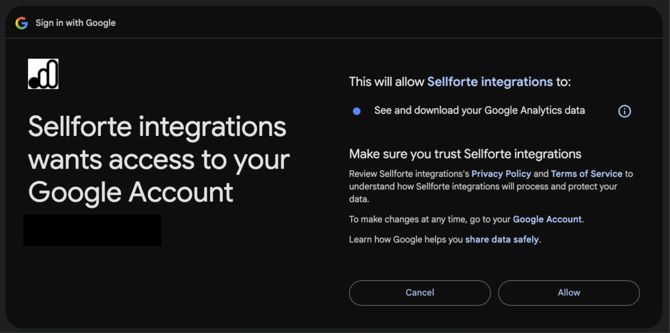
3. Authorize with Google
When granting access, you do not share your credentials or any other sensitive information. You only allow Sellforte to fetch data from the source.
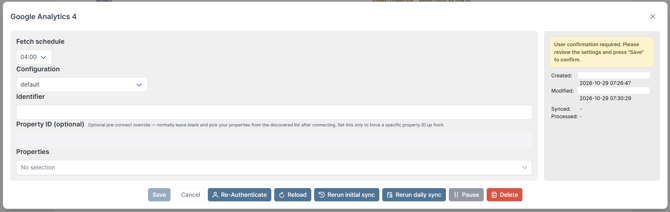
4. Choose properties for the sync
Under the Properties dropdown, choose the relevant properties for the sync. Click Save.
You are ready! 🎉
Google Analytics 4 is connected, and data is fetched to Sellforte automatically using the MMM specific schema.