
MCP access is granted per user through a separate invittation. To get access, ask your Sellforte contact person or join the waitlist at sellforte.com/mcp-waitlist.
Once you have your invitation, you can connect Sellforte MCP in any LLM client that supports MCP servers — Claude, ChatGPT, or another client of your choice.
After your Sellforte contact person has invited you, follow these steps to setup the MCP.
1. Open the invitation email from and follow the link to accept the invitation and set up your MCP credentials. Double check also your junk folder. Sellforte uses WorkOS to manage MCP access, so the invite comes from welcome@workos.dev address.
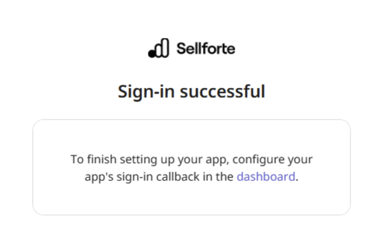
Once sign-in is successful, you are prompted with the screen below. Despite the text, you don't need to configure app's sign in callback; you can just close the window and move to step 2.
2. Add the Sellforte MCP server to your LLM client. Most LLM clients support MCP servers — for example, Claude has Connectors and ChatGPT has Plugins.
Sellforte MCP is added by pasting its URL as a custom MCP server. In Claude, go to Settings → Connectors → Add custom connector, give it a name such as "Sellforte MCP", and paste the URL. ChatGPT and other clients follow a similar pattern under their Connectors or Plugins settings.
Depending on your setup, you may need your admin to add the server for the whole workspace.
Use the URL that matches your environment:
-
https://mcp.sellforte.com/mcp for Europe
-
https://us.mcp.sellforte.com/mcp for the United States.

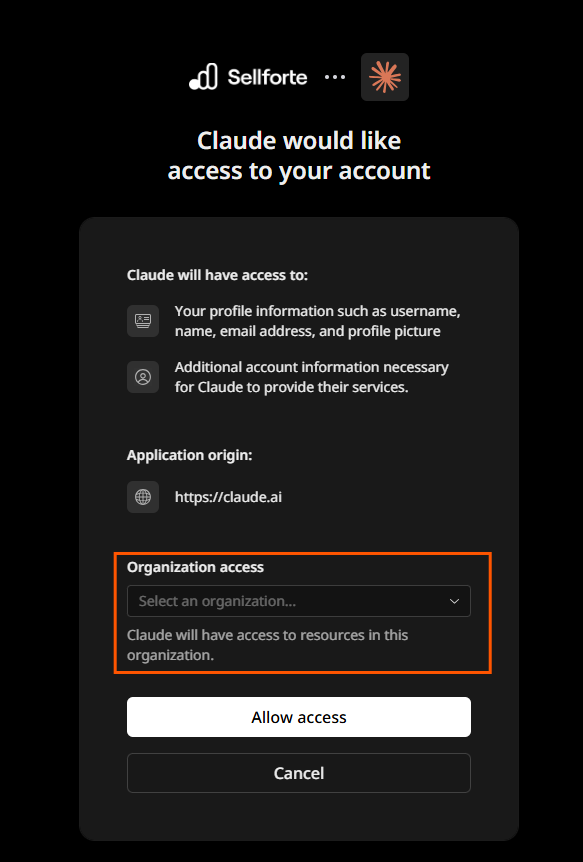
3. Click Connect and follow the sign-in steps. You will be asked to authenticate with the same account that received the WorkOS invitation.
Select the specific organization you want to connect to and complete the remaining consent screens to finish the connection.
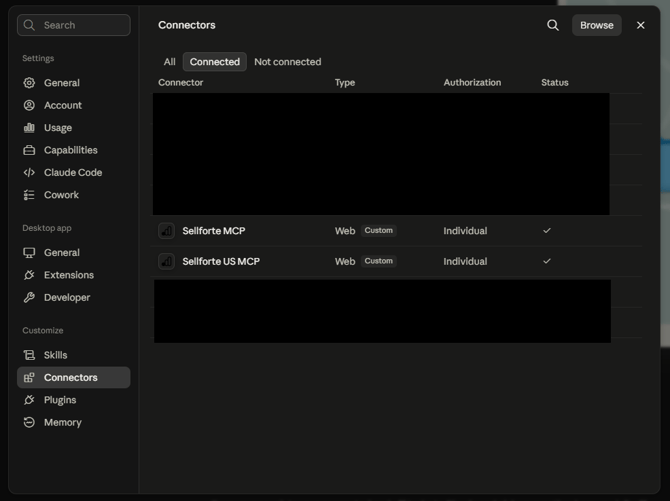
The connector should now appear as active in your client's connector list.
4. Test the connection, by asking your LLM client a question that requires Sellforte data. For example:
- Which channels drove the most incremental revenue in the last quarter?
- How did our latest Meta campaign perform against its baseline?
- What is the ROI trend for our top three channels over the past year?
- How would reallocating 20% of our TV budget to digital change expected revenue?
- Which promotions delivered the highest incremental uplift last month?