
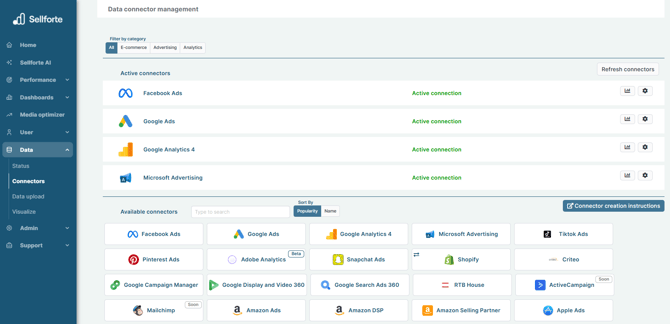
1. Log in to Sellforte and navigate to Connectors
- In the left-side navigation pane, select Connectors under Data.
-
From the Available connectors list, click the card for the relevant connector to start the connection.
2. Find Account SID and Auth token
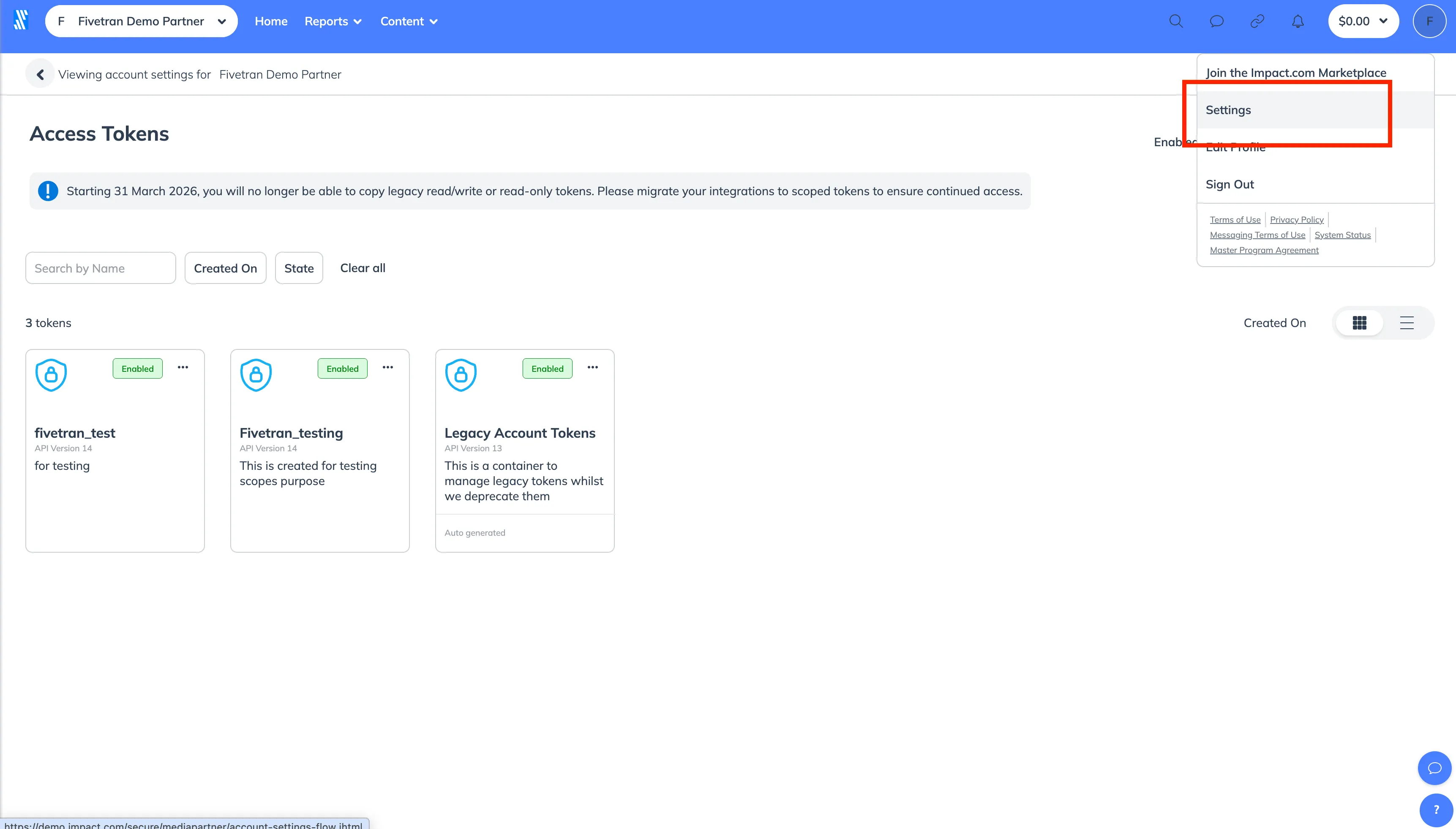
Log in to your Impact Brand account. On the right navigation menu, click Settings.
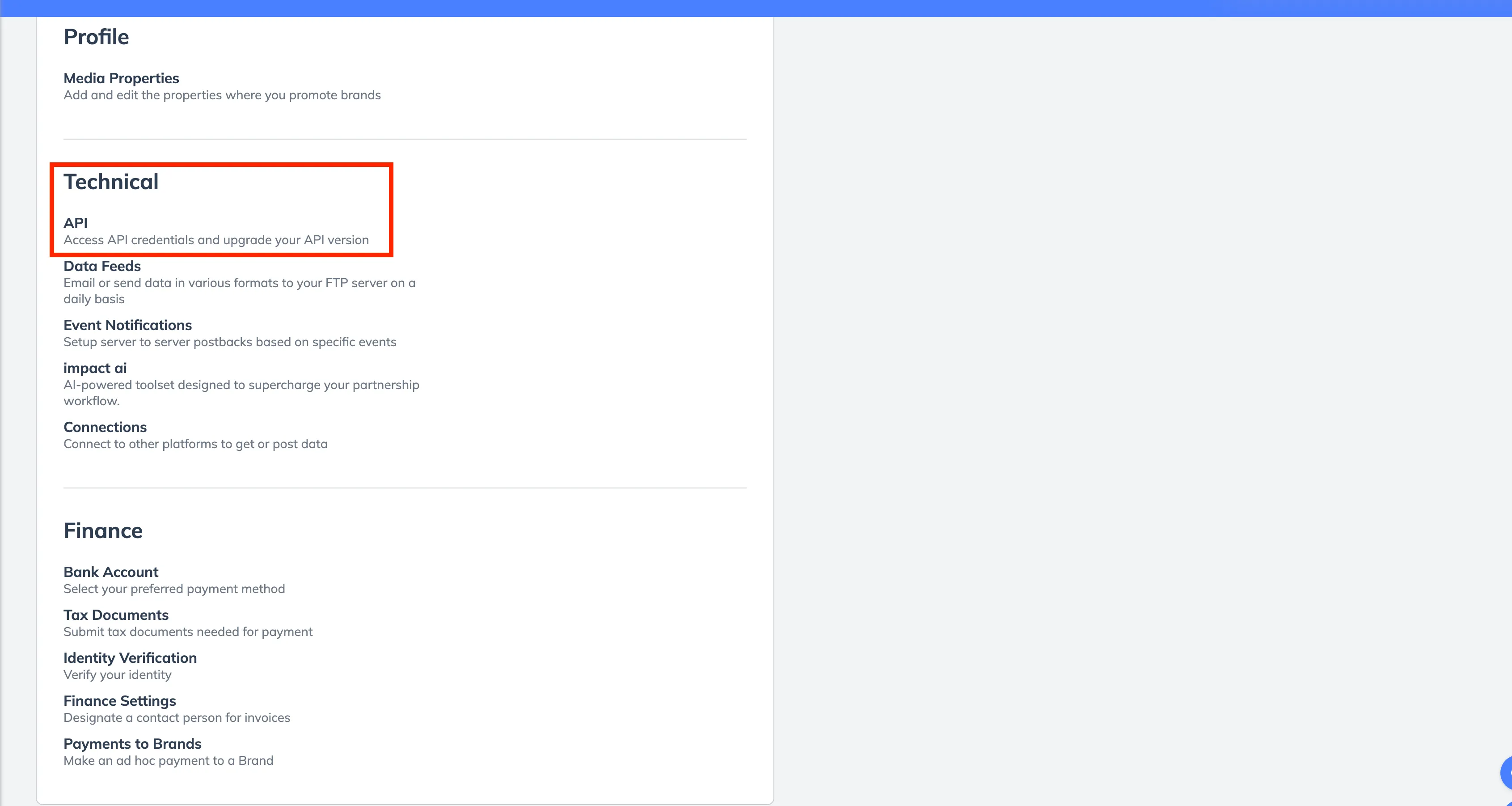
In the TECHNICAL section, click API.
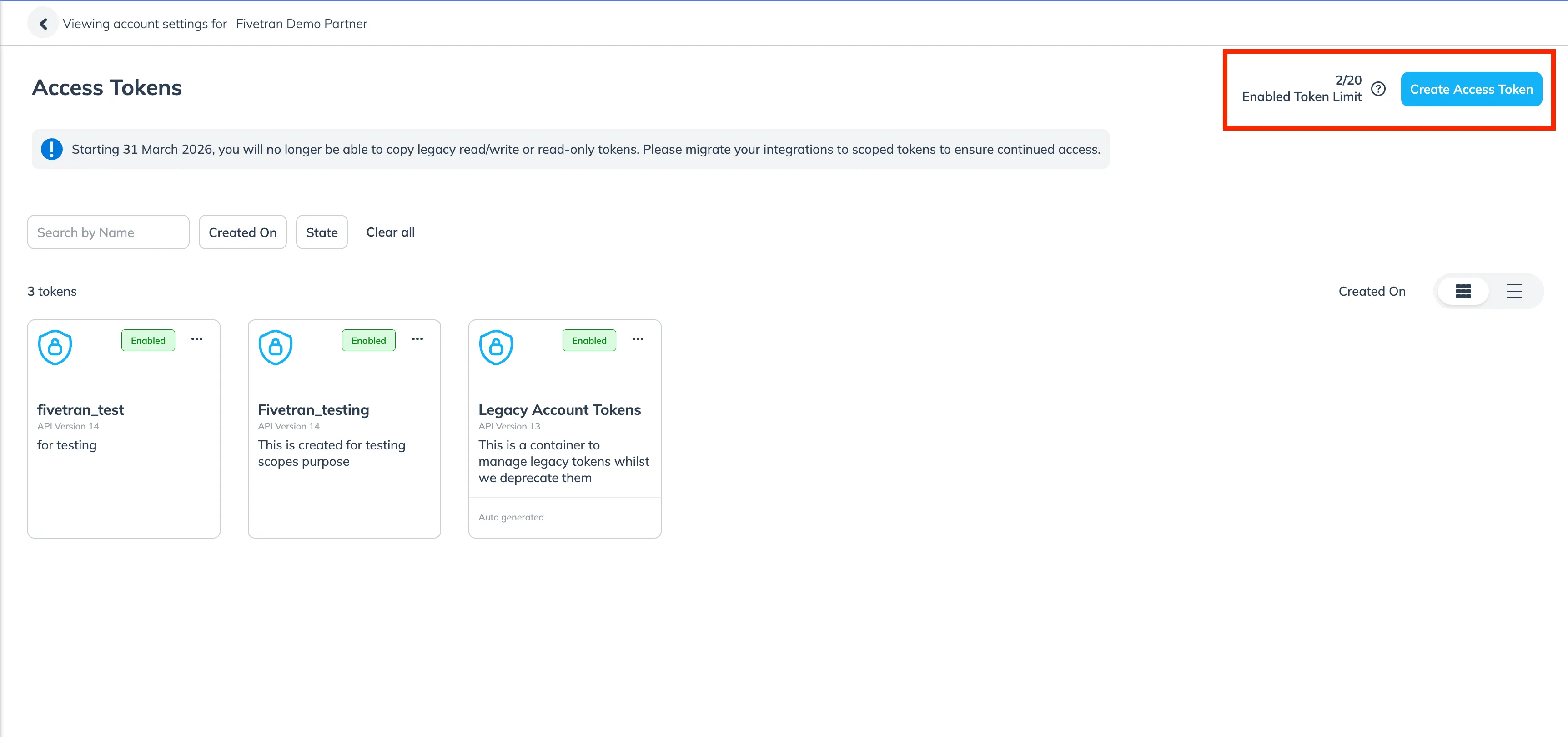
Click Create Access Token.
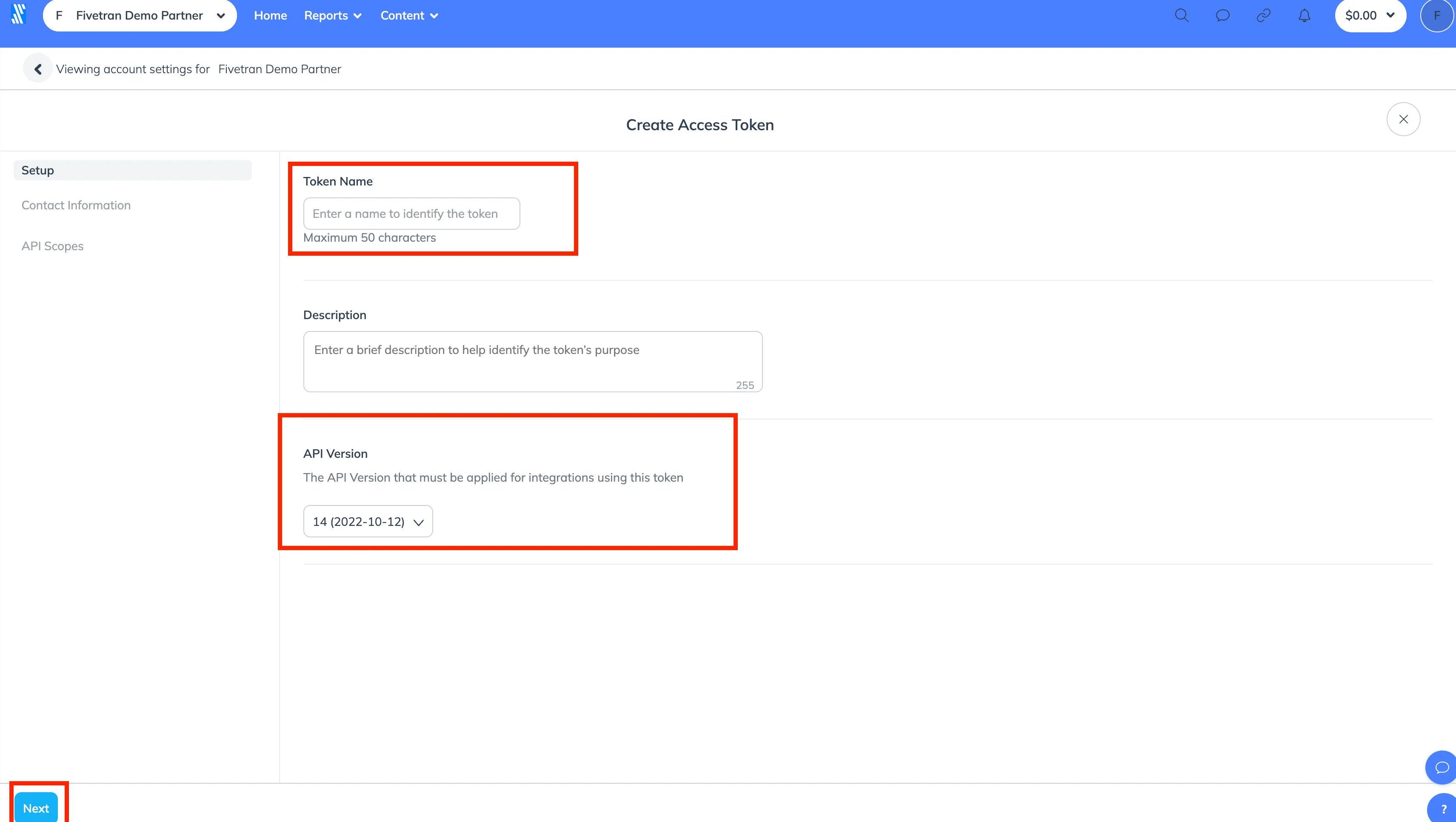
In the Create Access Token window, provide a unique label in the Token Name field. Ensure the API Version is set to 14 (2022-10-12), then click Next.
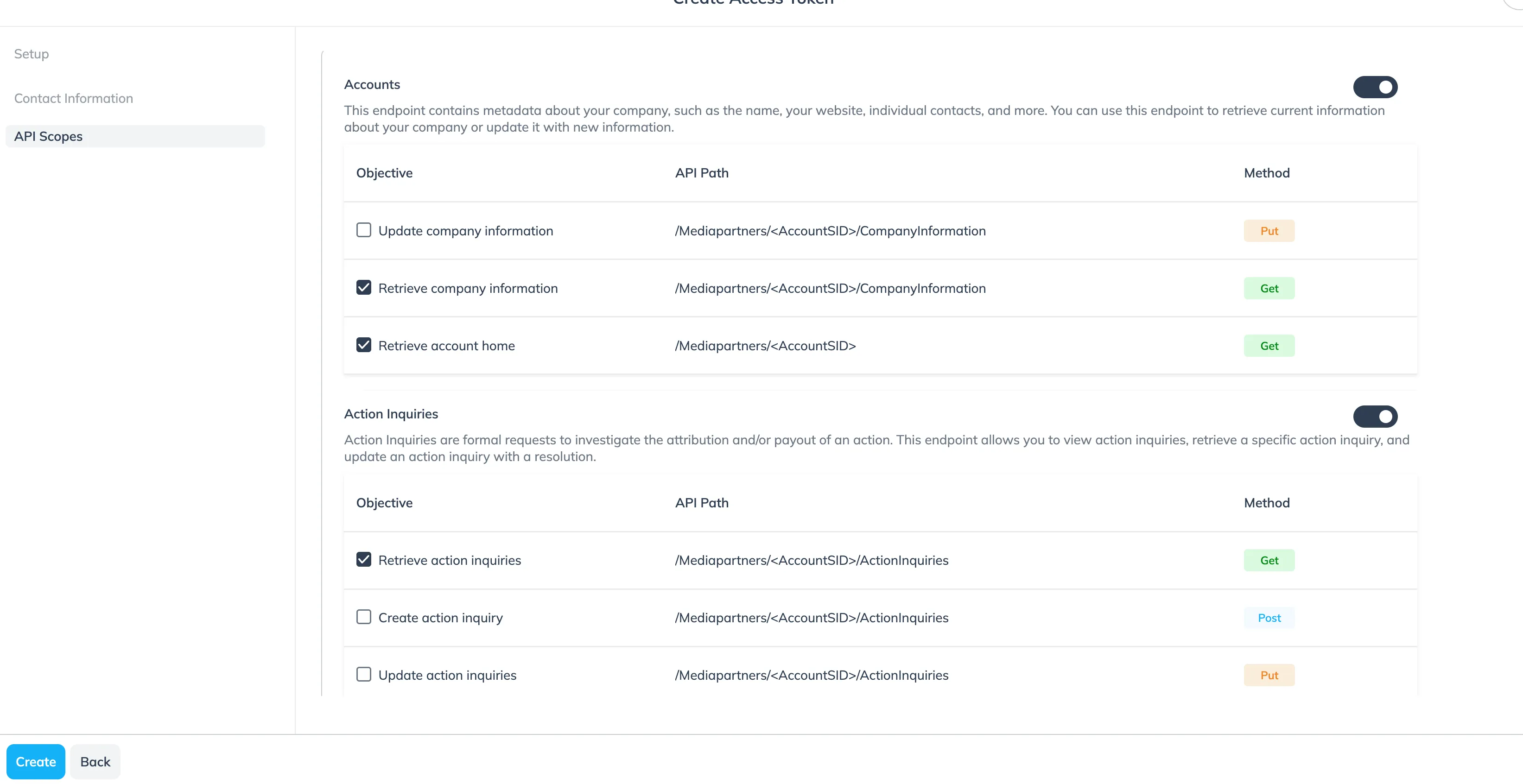
On the API Scopes screen, locate the scopes required for your integration. Enable the Get method for these scopes and select Create to generate the token.
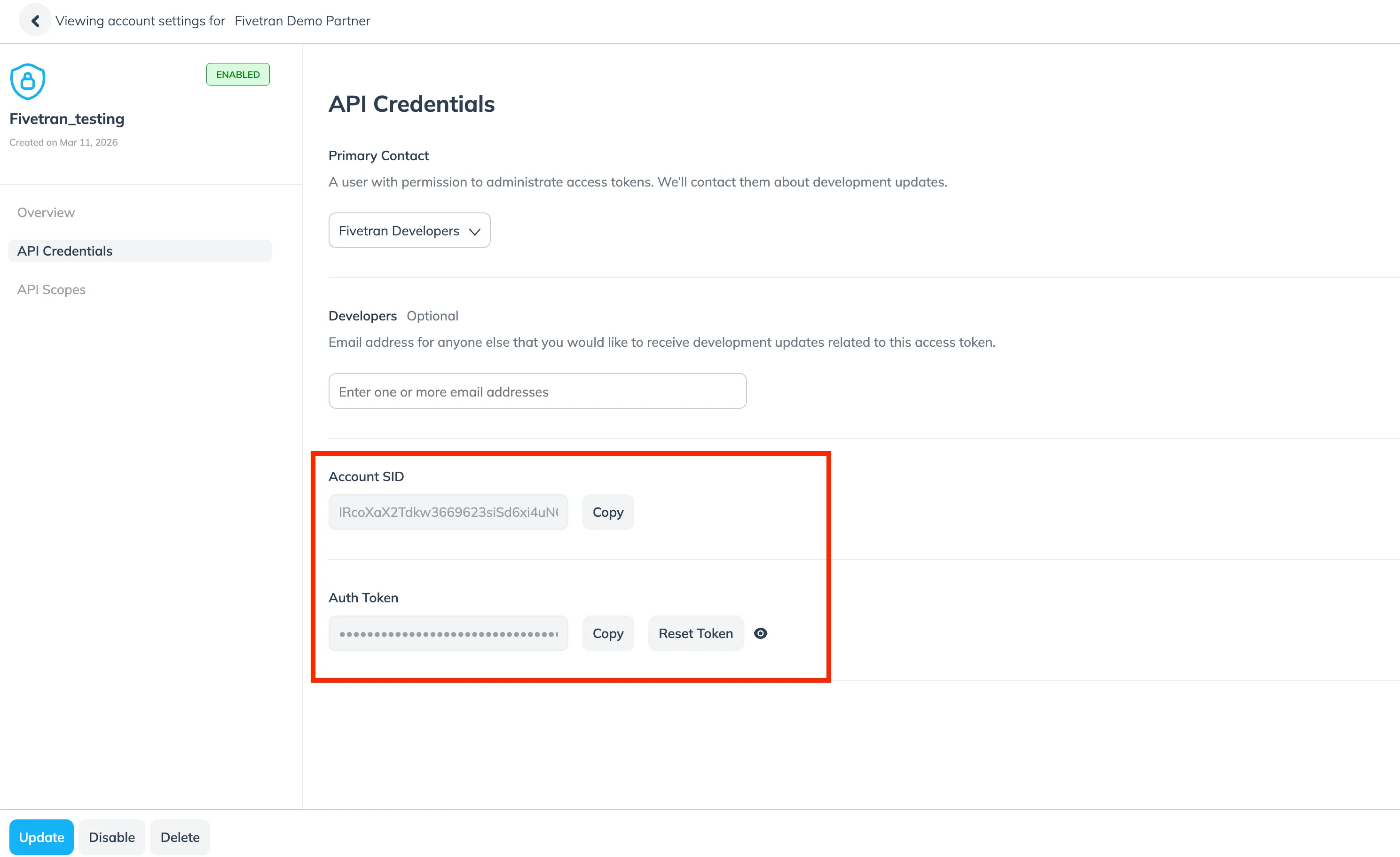
Once the token is created, click on the token name you have created. Click on the API Credentials and make a note of the Account SID and Auth Token. You will need them to configure connector.
3. Enter the Account SID and Auth Token
Go back to connector form, and enter Enter the Account SID and Auth Token.
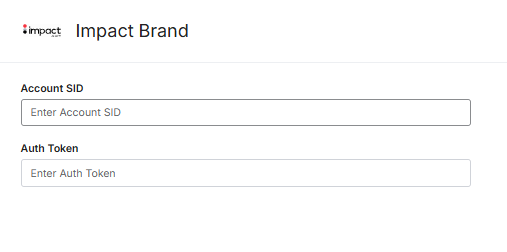
After SID and Token are entered, click Save & Test.
You are ready! 🎉
Impact Brand is connected and data is fetched automatically with correct schema to Sellforte.