
Prerequisities
-
The account used to authenticate must have Admin or Operator access to all advertiser accounts configured in the connector
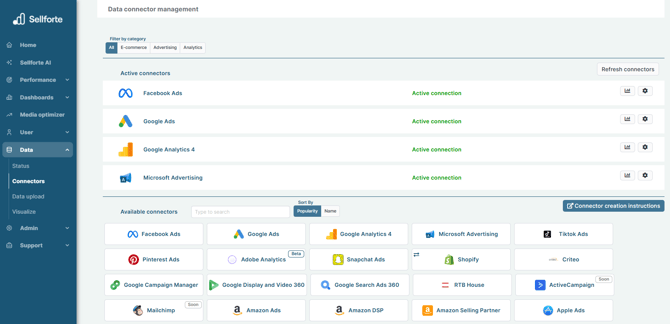
1. Log in to Sellforte and navigate to Connectors
- In the left-side navigation pane, select Connectors under Data.
- From the Available connectors list, click the card for the relevant connector to start the connection.
2. Authorize
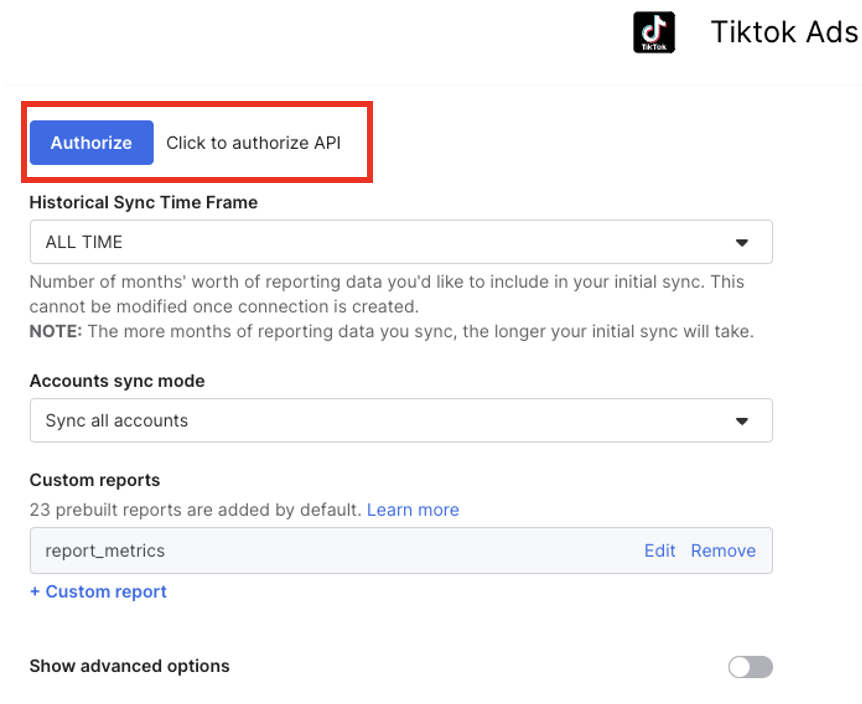
First, click "Authorize" and run through the authentication process in TikTok's connection flow.
You can choose accounts for the sync only after you have clicked "Authorize" and ran through the authentication process.
3. Give permissions
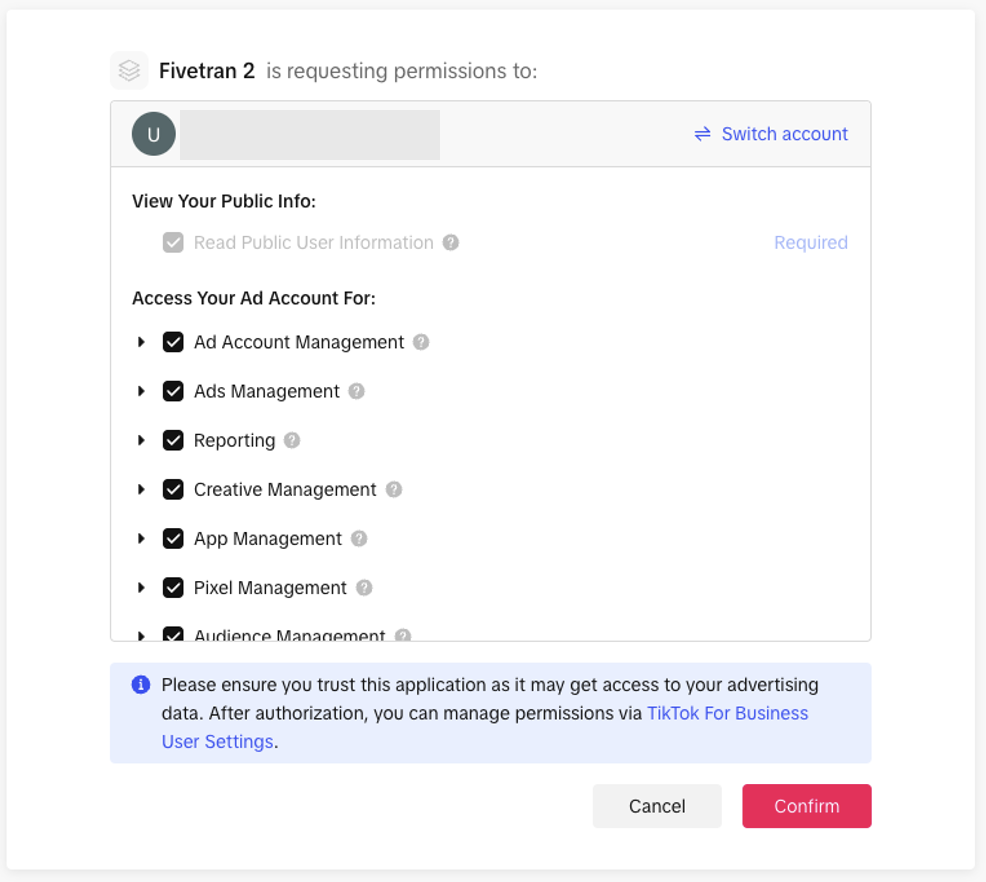
Giving permission don't share your credentials or any other sensitive information. Sellforte also cannot do any changes to your campaigns or account settings. You will just allow Sellforte to fetch data from the source.
4. Choose ad accounts for the sync
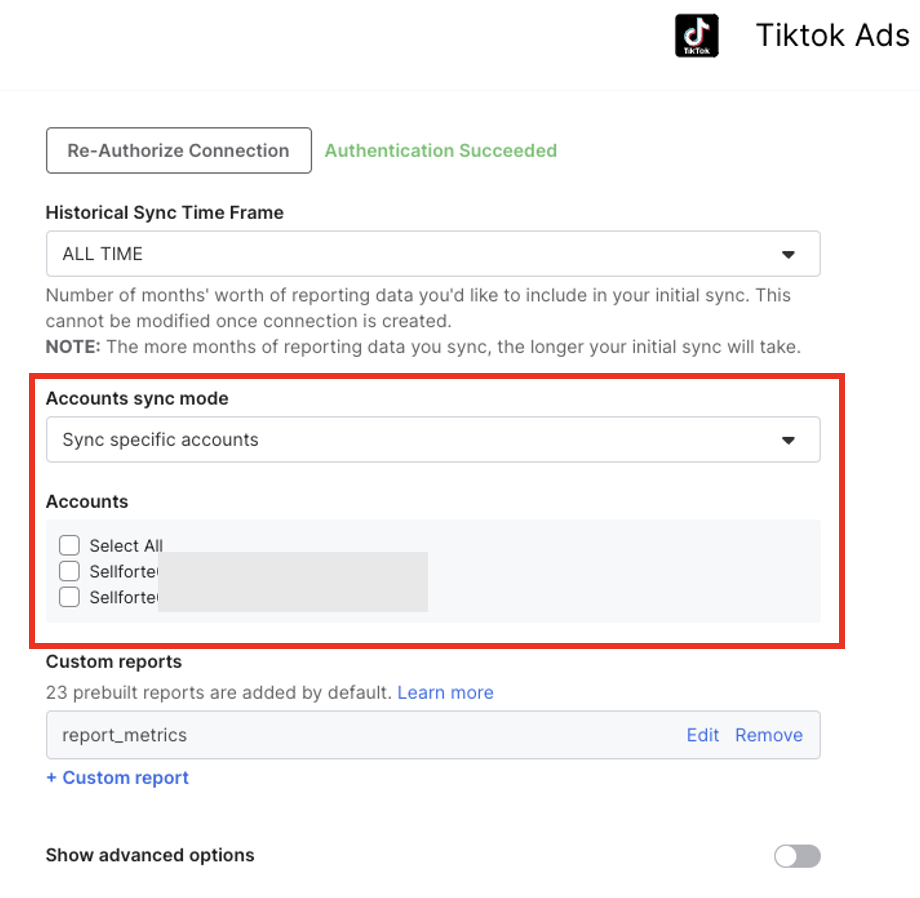
From accounts sync mode, please first choose "Sync specific accounts". Then, choose the accounts you want to connect to Sellforte.
Please don't modify any other settings visible in the screen. We have pre-defined custom report, that has all the data we need for MMM.
5. Click Save & Test and you are forwarded back to Sellforte
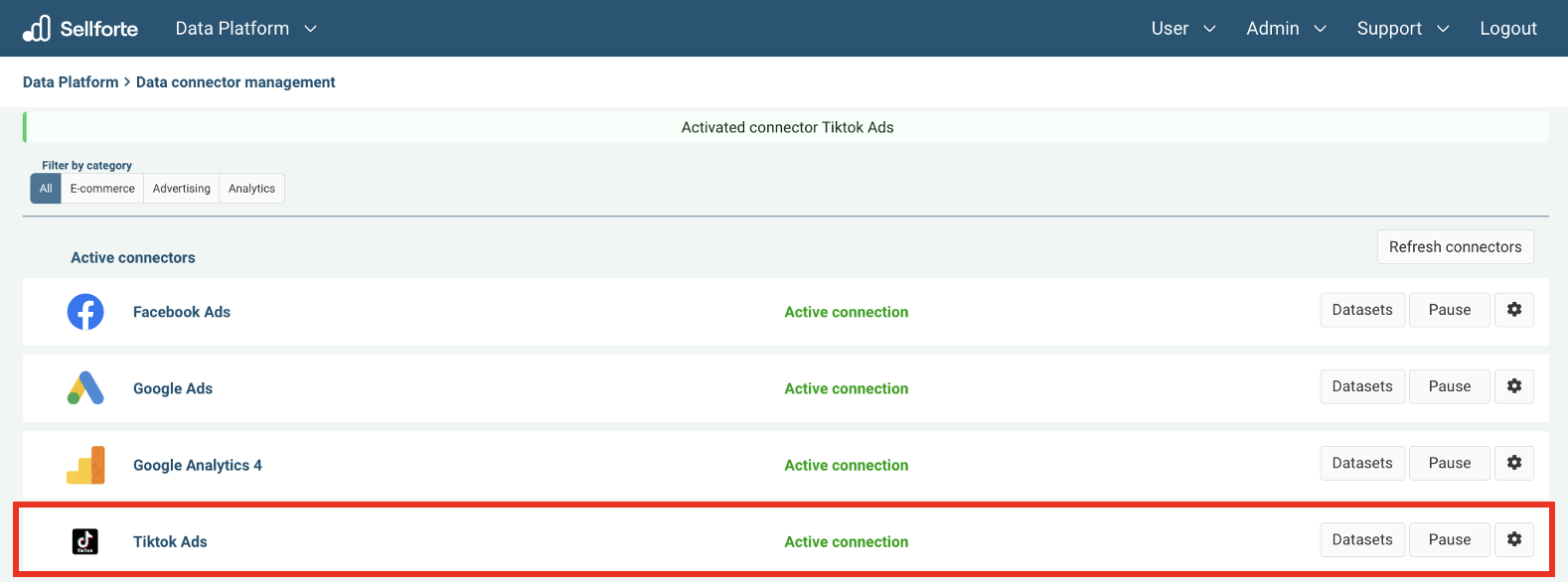
You are ready! 🎉
TikTok Ads is connected and data is fetched automatically with correct MMM schema to Sellforte.