
Prerequisites
To connect StackAdapt, you need:
- a StackAdapt account with API access
- a StackAdapt API key
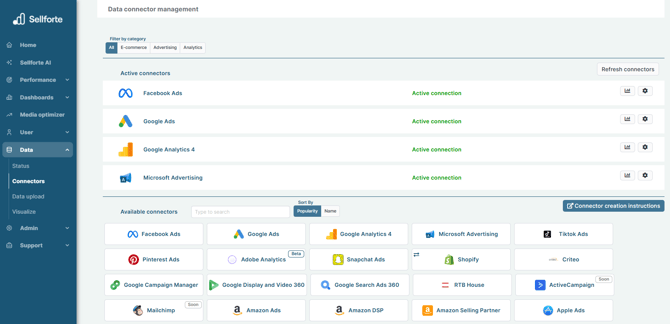
1. Log in to Sellforte and navigate to Connectors
- In the left-side navigation pane, select Connectors under Data.
- From the Available connectors list, click the card for the relevant connector to start the connection.
2. Find API key
Log in to your StackAdapt account.
Go to Account Settings > API Integration.
Make a note of the API key. You will need it in the next step.
3. Enter API key
Enter the API Key you found in Step 3.

4. Choose Environment
Choose Production as your environment.

5. Click "Save & Test" and you are forwarded back to Sellforte
You are ready! 🎉
StackAdapt is connected and data is fetched automatically with correct MMM schema to Sellforte.