
Prerequisites
To connect Partnerize, you need a Partnerize account with API access.
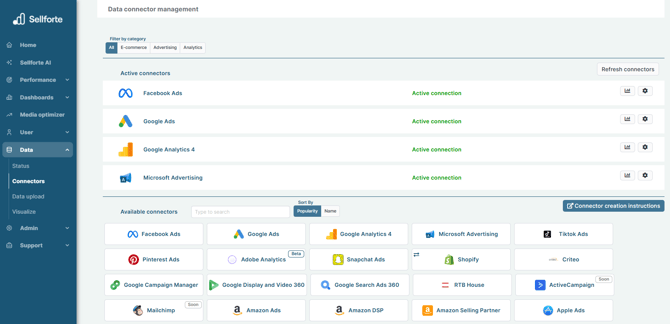
1. Log in to Sellforte and navigate to Connectors
- In the left-side navigation pane, select Connectors under Data.
-
From the Available connectors list, click the card for the relevant connector to start the connection.
2. Find the User application key and User API key
Log in to your Partnerize account at console.partnerize.com. In the top-left corner of the page, click Partnerize and select Settings. Go to the Your account tab. Make a note of the User application key and User API key. You will need them to configure the connector.
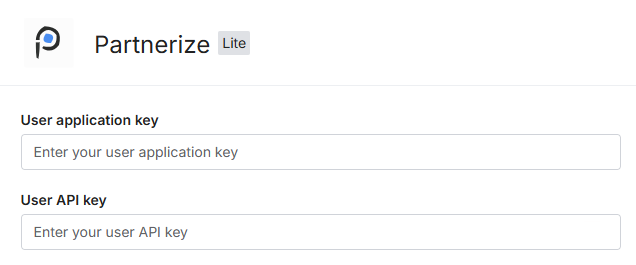
3. Enter the User application key and User API key
Go back to the connector form and enter the User application key and User API key you found in the previous step. You can leave Partner ID field empty.
4. Click Save & Test and you are forwarded back to Sellforte
You are ready! 🎉
Partnerize is connected and data is fetched automatically with correct MMM schema to Sellforte.