
Prerequisites
Request Adform API credentials (a Client ID and a Client Secret) from Adform Support at technical@adform.com, or through your Adform account contact. These are API client credentials created for Sellforte, not the username and password you use to log in to Adform. Provide a short description of the use case, a name for the API client, and the scopes below. Adform sends the Client ID and Client Secret through a temporary link, so save them securely as soon as you receive them. Request only the buyer-side (advertiser) scopes below.
Request these scopes on the application:
buyer.statsbuyer.stats.metadatabuyer.campaigns.api.readonlybuyer.orders.readonlybuyer.advertisersbuyer.classifiers.readonlyintegrations.classifiers.readonlyeapi
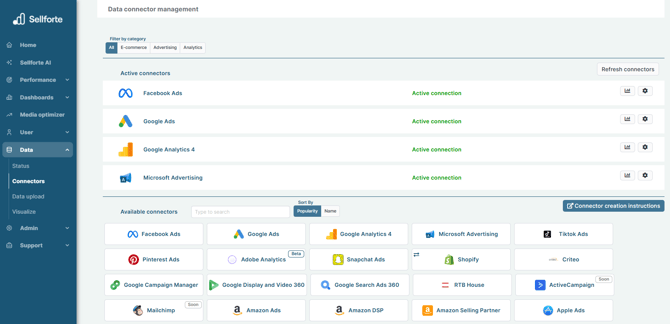
1. Log in to Sellforte and navigate to Connectors
- In the left-side navigation pane, select Connectors under Data.
-
From the Available connectors list, click the card for the relevant connector to start the connection.
2. Enter API credentials
Enter the Client ID and Client Secret that Adform provided to you. Both fields are required. Do not enter your personal Adform login details here.
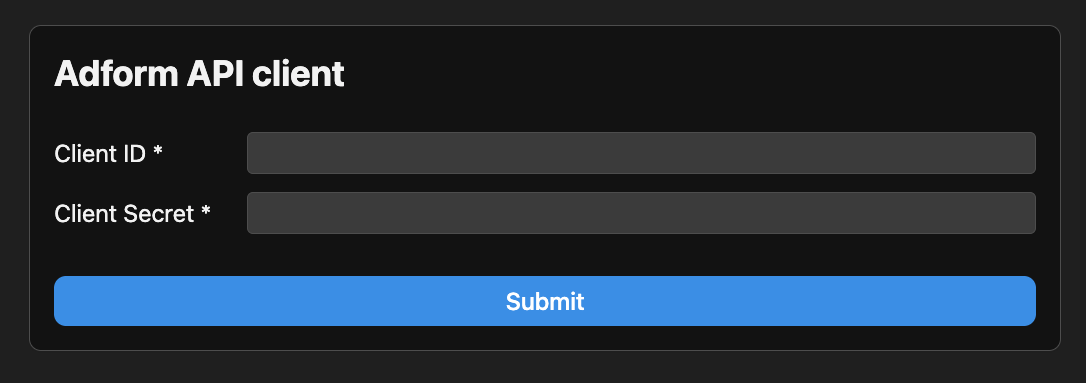
3. Click Submit and you are forwarded back to Sellforte
You are ready! 🎉
Adform is connected and data is fetched automatically with correct schema to Sellforte.