
There are two main views in Sellforte Home:
-
Forecast
-
History
The layout of each view can be fully customized to display the charts most relevant to your needs.
Charts sit in a two-column grid. Each chart tile can:
-
Be expanded or collapsed
-
Have its visibility adjusted (shown or hidden)

A single set of global filters applies to both views.
1. Forecast View
The Forecast view provides a comparison between:
-
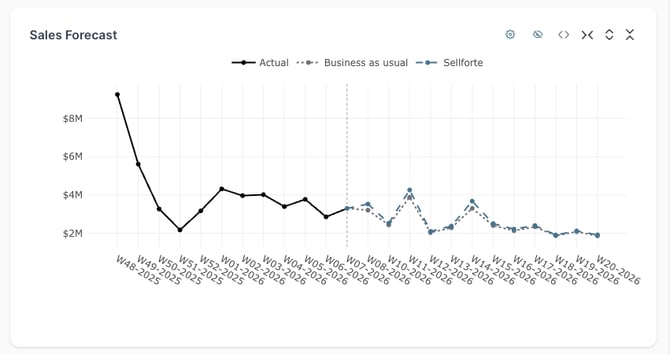
Business-as-usual (BAU) scenario – a forecast of what will happen if you continue with your current media mix.
-
Sellforte-optimized scenario – a forecast of what will happen if you optimize your media mix based on Sellforte’s recommendations.
It enables you to optimize spend, forecast sales, and evaluate incremental impact instantly.
Next we'll walk you through main components of Forecast View.
1.1 Important KPIs
Displays key metrics for both scenarios:
-
Total sales
-
Total spend
-
Potential impact of the Sellforte-optimized scenario
This allows quick comparison of outcomes and optimization potential.

1.2 Sales Forecast Timeline Chart
Shows projected sales development over time.
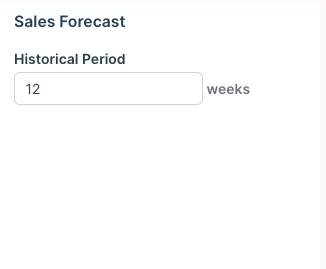
Customization:
-
You can expand the historical timeline for additional context.
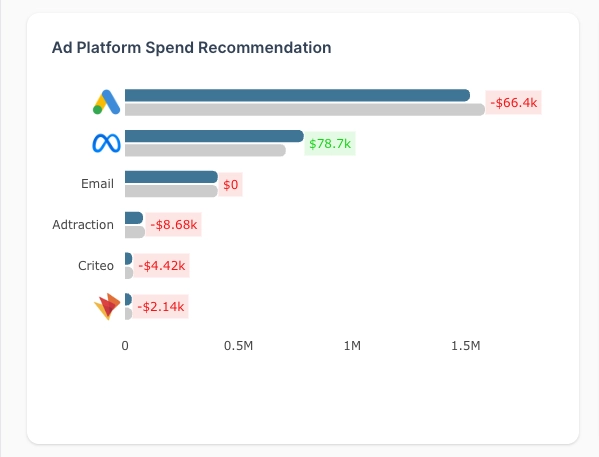
1.3 Custom Spend Recommendation (per dimension)
Provides spend recommendations for a selected dimension (e.g., channel, platform, region).
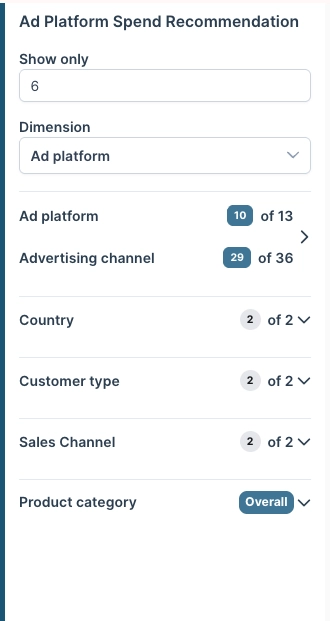
Customization options:
-
Can track its own dimension
-
Can have its own set of relevant filters
-
Can limit how many top entries to show
This enables focused optimization analysis at a granular level.
2. History View
The History view provides a clear overview of your historical performance data.
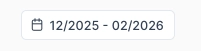
Users can adjust the time period used to extract the data.
Next we'll walk you through main components of History View.
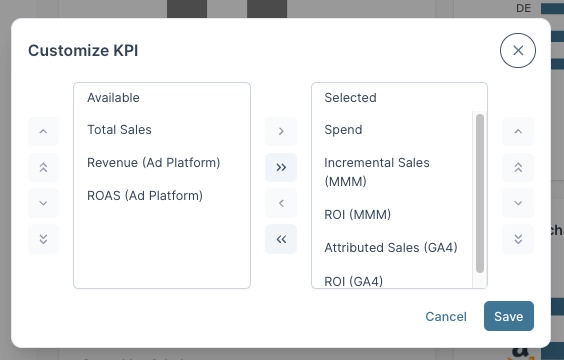
2.1 Important KPIs
Provides transparency into core performance metrics such as:
-
Total spend
-
Incremental sales
-
ROI

Customization:
-
You can choose which KPIs are visible.
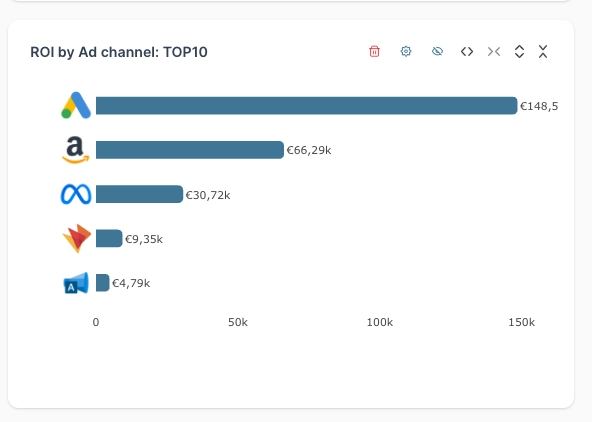
2.2 Sales Decomposition
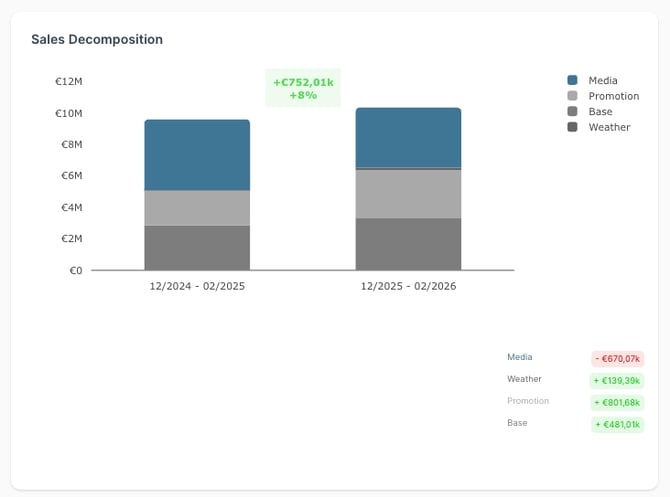
The Sales Decomposition chart splits total sales into components such as:
-
Baseline sales
-
Promotion-driven sales
-
Media-driven incremental sales
This helps you understand what drives changes in total sales over the selected time period.
2.3 Sales Decomposition Customization
You can:
-
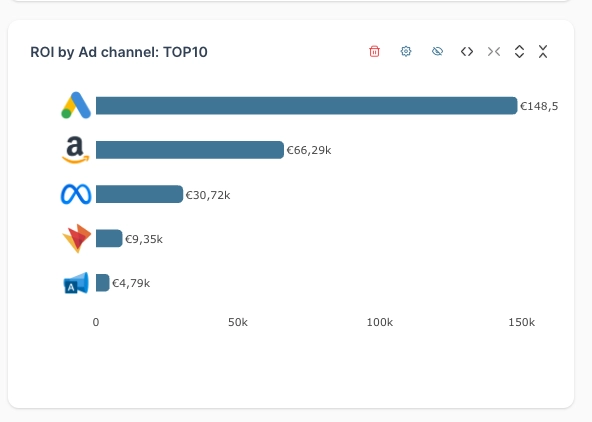
Choose which dimension to show
-
Limit how many top entries to display
-
Apply its own set of relevant filters
-
Enable YoY comparison mode
-
Rename the chart
-
Delete the chart
2.4 Saved Views & Global Filters
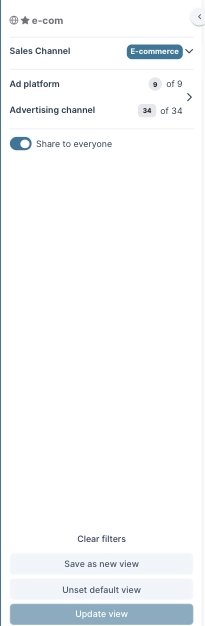
Global Filters
-
Apply global filters to the default view to update all charts at once.
-
A single set of global filters applies to both the Forecast and History views.
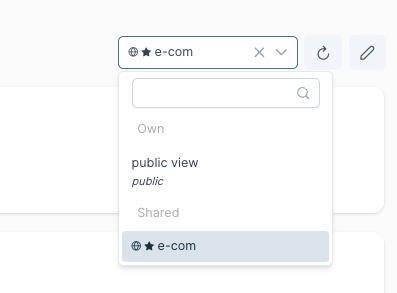
2.5 Saved Views
You can save filter settings as a Saved view to return to them later.
Customization:
-
View can be saved as private or public
-
You can set or unset any view as your default view
-
Default view is user-specific
-
You can set a shared view as your personal default
Summary
Sellforte Home consists of two customizable views:
-
Forecast – Compare BAU vs optimized scenarios, review KPIs, and analyze spend recommendations.
-
History – Review historical KPIs and sales decomposition to understand marketing impact.
Both views support flexible chart customization, shared global filters, and saved view configurations.